
Have the logged on user launch the command prompt on the target computer. Type Set Logonserver the name of the domain controller that authenticated the user will be returned. See the figure below.
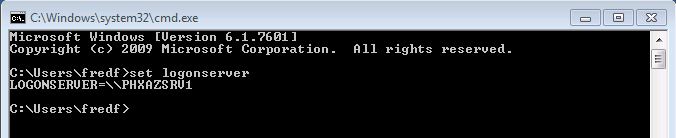
Using echo %username% will allow you create a script to identify the authenticating domain controller. See the figure below.

If you just desire to identify which domain controller the user retrieved group policies from you can type gpresult /r. The returned results will provide you the name of the domain controller that provided the logged on user with GPOs. See the figure below.
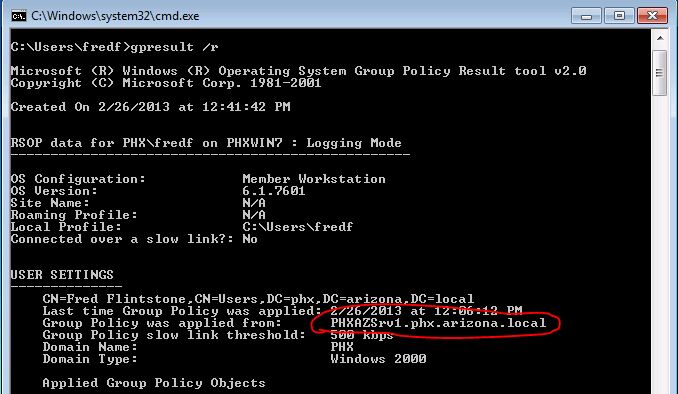
As you can see there are multiple ways to identify which domain controller authenticated a user.




