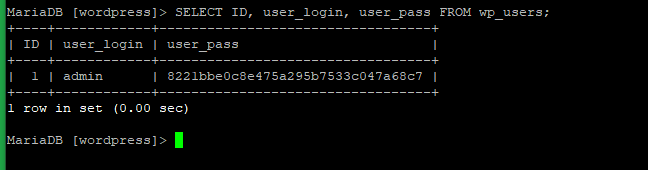
Step 1 : Generating MD5 hash for WordPress admin password
- Try to change the current password admin123 to wpadmin123.Create a file called
wp.txt, containing nothing but the new password. # vi wp.txt


- Run the below command to get the MD5 string.
# tr -d ‘\r\n’ < wp.txt | md5sum | tr -d '-'

- Now you will get the MD5 string of the new password wpadmin123 that you have saved in the file
wp.txt. - Please save the MD5 string locally.
- Run the below command to remove the file
wp.txt. # rm -rf wp.txt

Step 2 : Updating the admin password through MySQL using the newly generated MD5 hash string
- Log in to MySQL with the below command.
# mysql -u root -p

- Enter your MySQL password.
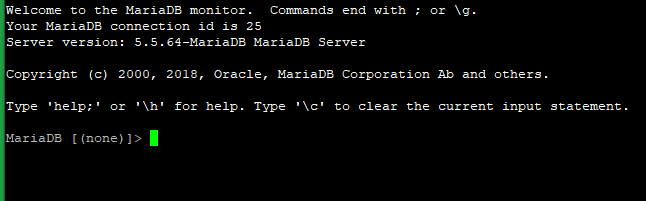
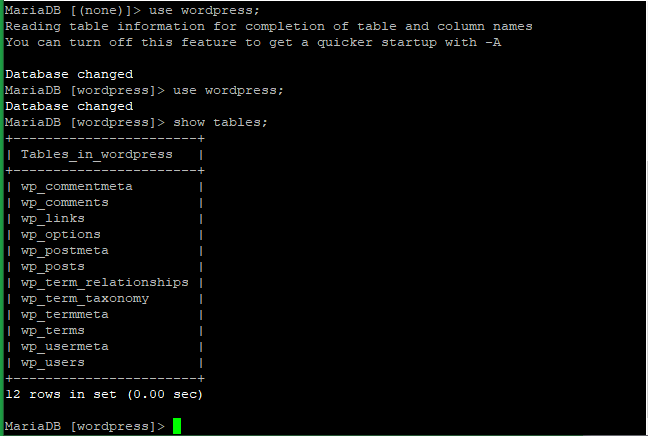
- Run the below commands to use the WordPress database and show the table name with
wp_users. Here we are using the below database and user for testing. - WordPress DB: wordpress
- WordPress User: wp_user
> use wordpress;> show tables;
- Run the below command to get an idea of what’s going on inside.
> SELECT ID, user_login, user_pass FROM wp_users;
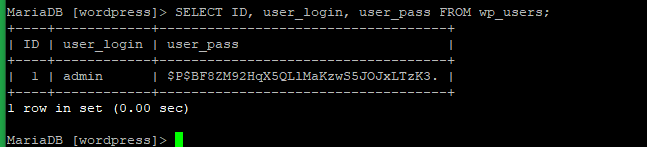
- From here you can see the MD5 string of the current password of the database WordPress.
- Now you can reset the password of your WordPress admin with the below command.
> UPDATE wp_users SET user_pass=('8221bbe0c8e475a295b7533c047a68c7') WHERE user_login = 'admin';

- Now check with the below command if the password has changed.
> SELECT ID, user_login, user_pass FROM wp_users;