
- Open Microsoft 365 Defender
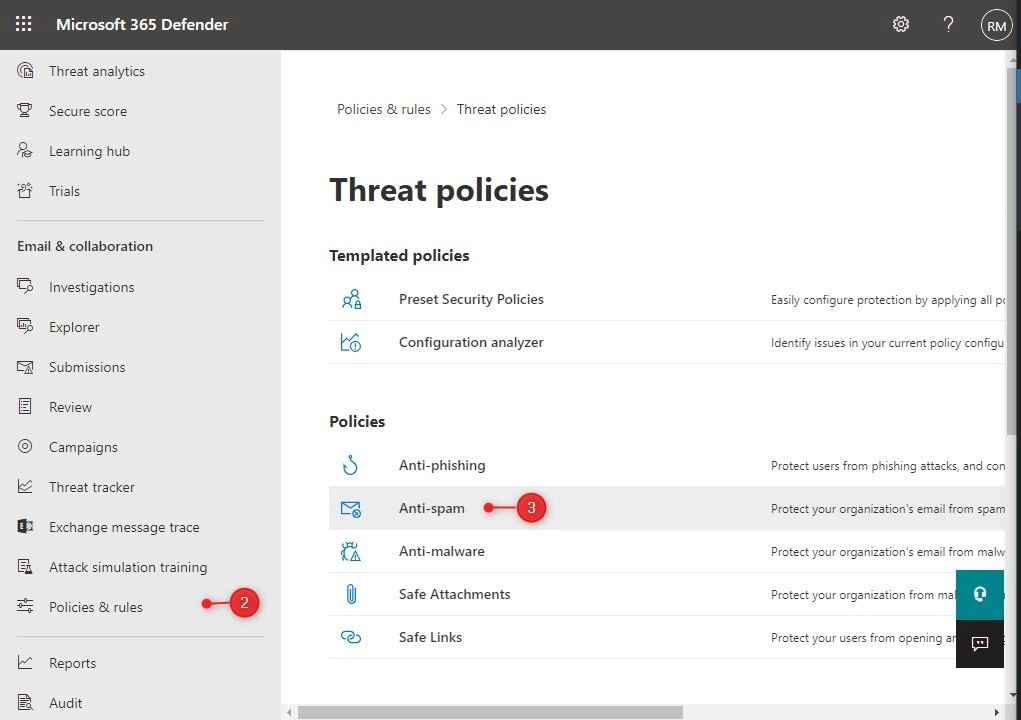
- Click on Policies and Rules and choose Threat Policies
- Open the Anti-Spam policies
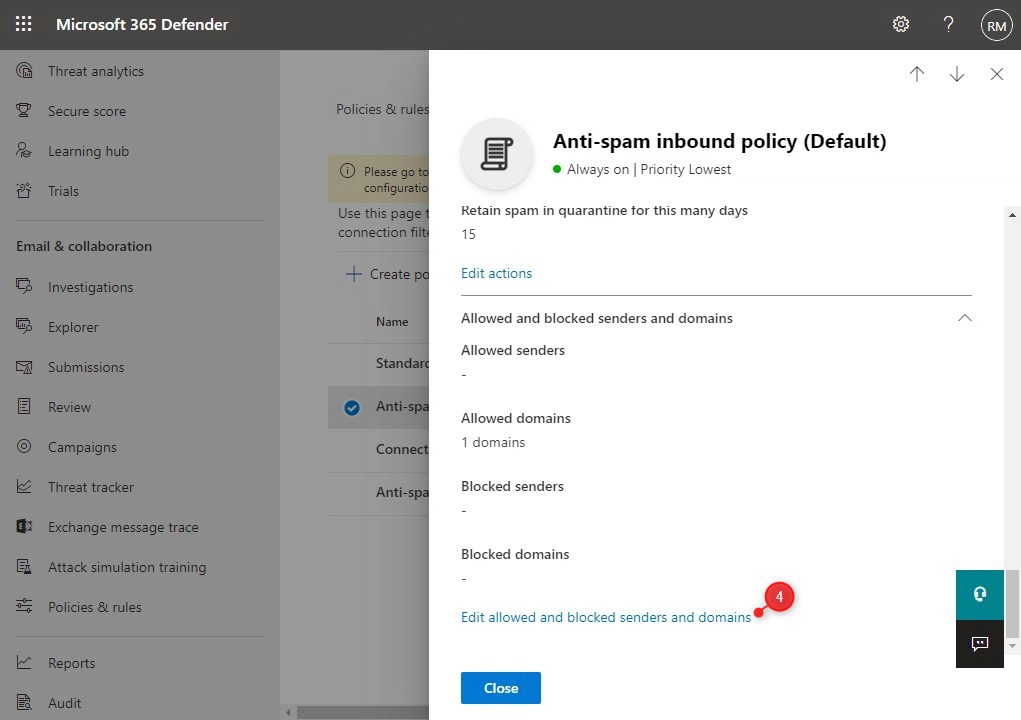
- Scroll all the way down in the fly-out and click on Edit allowed and blocked senders and domains
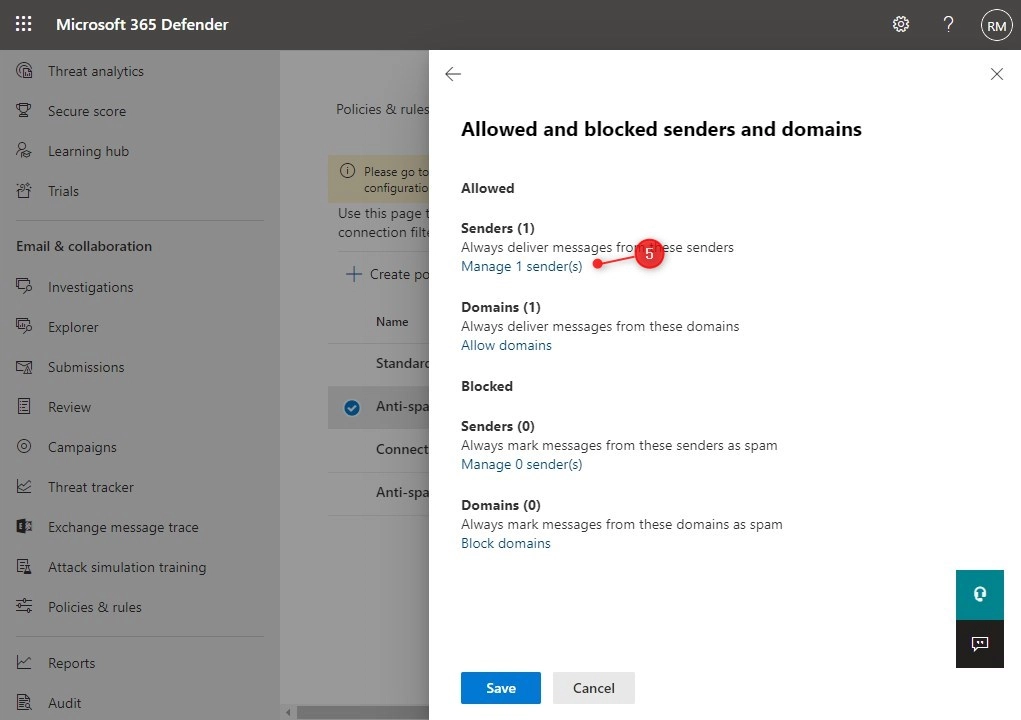
- Under Allowed open Manage sender(s)
- Click Add senders to add a new sender to the list
- Click Done and save to apply the settings




